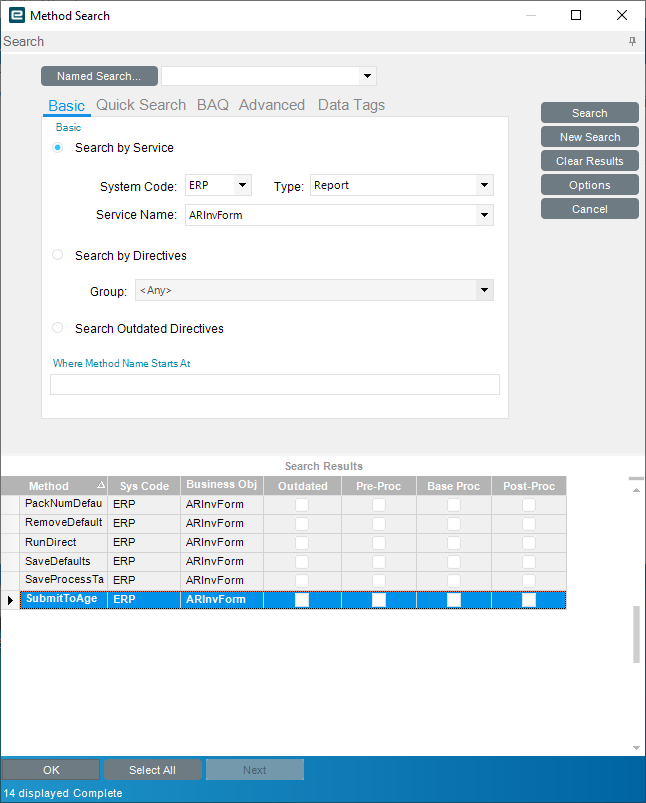
I need to create a BPM to autofill the email address from the Customer Header when sending an AR Invoice using the SSRS Email function, but the trace logs return the following and I’m having trouble finding where to put the BPM:
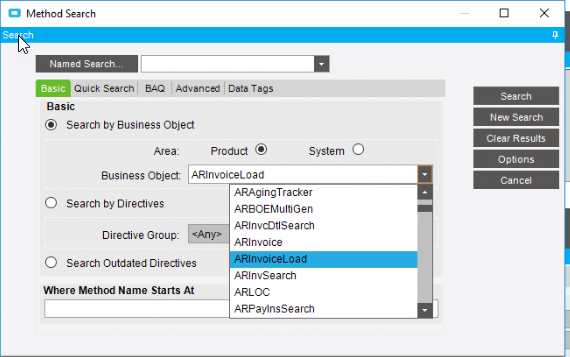
my main problem is I don’t know what business object or table to attach the BPM to. The tracing returned BO: ERP.Proxy.Rpt.ARInvFormImpl Method: SubmitToAgent but I’m not seeing those as options when I search in Method Directives
Pre-Processing on: Erp.Rpt.ARInvForm.SubmitToAgent
var row = ds.ARInvFormParam.FirstOrDefault();

row.EMailTo = "yourEmail@yourCompany.com";
row.EMailBody = "Test Email";
row.AttachmentType = "PDF";
row.FaxSubject = "Test Subject";
row.AutoAction = "SSRSClientPrint"; //Only one I could get to run email with
row.WorkstationID = ""; //Do not try to print